How it works

Hands-free from the job site to your books

You have AI. What you need is IA — speak the job, review the draft, send the estimate or invoice, and (when you’re ready) match bank deposits. Built so contractors save time, not type more forms.

How-it-works video (coming next) Walkthrough clip of voice → draft → Wave will live here. For now, the steps below match what the app does today.

1. Estimates & invoices (the main loop)

1
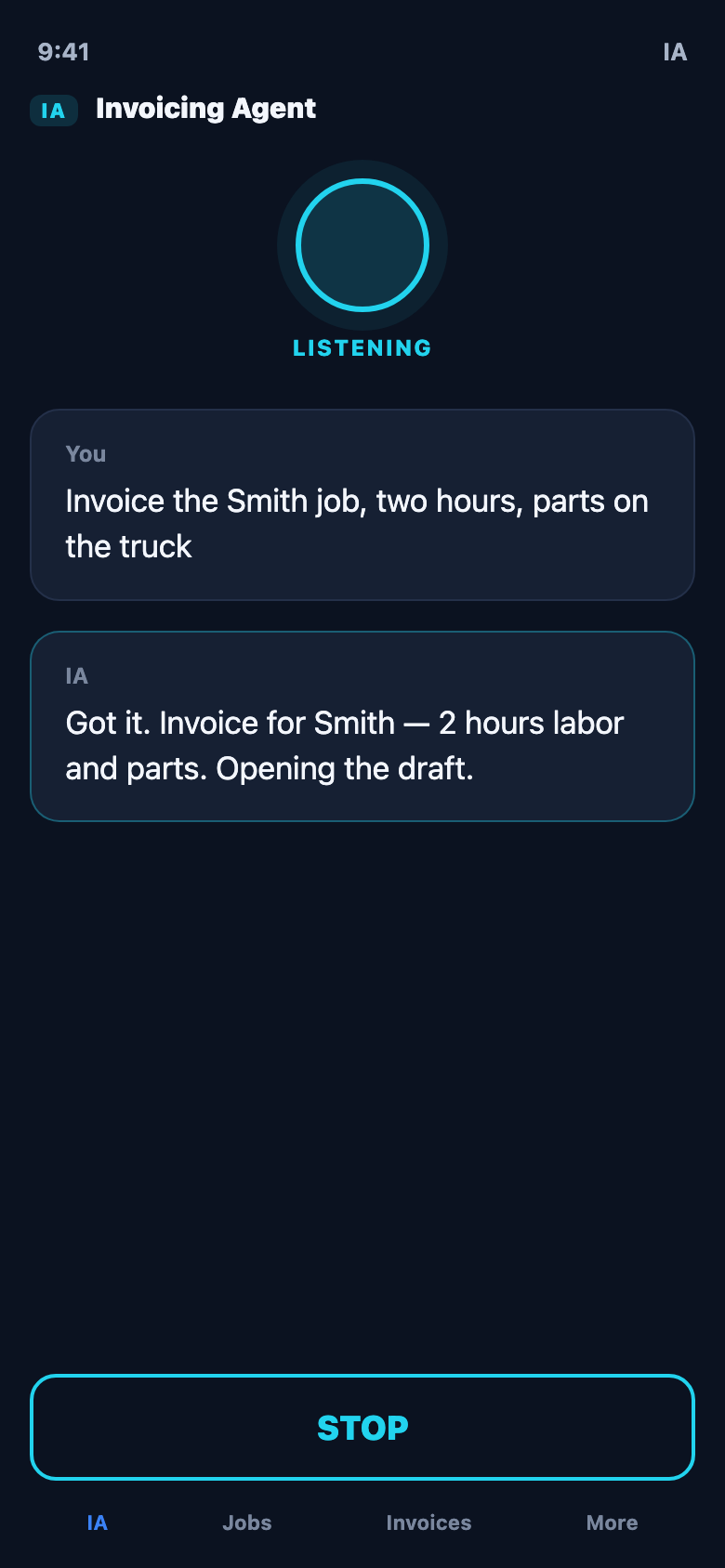
Open Listen and speak Hands-free: who the customer is, what you did, materials, price. Or type if the mic is busy. You can also ask IA “what can you do?” for a spoken tour.
2
IA builds a draft Grok turns speech into an estimate or invoice draft with line items and totals. You always review before anything is created in Wave / QuickBooks / Xero / FreshBooks.
3
Approve in the app Edit lines or notes if needed. Confirm. IA creates the document in your connected books.
4
Send when ready Email the customer from the app (uses your bookkeeping send). Estimate accepted later can convert to an invoice in your workflow.

2. Bank reconciliation (optional tools)

Reconciliation helps you match money in the bank to open invoices (and review card spend). It is for owners / managers, not techs.

1
Turn on bank tools In the app: Bank / reconciliation area (owner or manager). Some shops need the bank tools entitlement enabled in Settings.
2
Pull deposits & spending IA loads unmatched bank deposits and card transactions from your connected books feed (when available).
3
Match suggestions IA suggests which open invoice a deposit might pay. You confirm the match — so your books show the invoice paid when the money hits.
4
Review spending Card spend tab helps you see outgoing charges (useful for ops; not the same as sending customer invoices).

If bank tools aren’t active yet, connect Wave/QBO fully and open Bank in the app — the screen will say if you need to enable the add-on. You can still run estimates & invoices without it.

3. Crew alerts & day-to-day

Talk to IA in the app

On the Listen screen you can ask things like:

IA answers out loud (if secretary voice is on), then keeps listening for a job description.

Get IA — free trial Open the app Back to home